
Explore combined pipeline packages →
ImpressionsDirect360 Solutions
Your Microsoft office, installed and supported with practical automation.
We set up Outlook, OneDrive, SharePoint, and Office for your team, then build the automations that run your busywork — invoices filed, leads routed, documents summarised before you open them. No IT department required.
Monthly or annual · cancel anytime · one-week setup target, subject to scope, licensing, admin access, and DNS readiness
Preparing management plans…
Take a look inside.
See the document and file tools included with Microsoft 365 Business Basic, Standard and Premium. Open either picture for a closer look.
These Microsoft 365 apps are separate from our $4.99 Business Email mailbox.
 View full screenshot (opens a new tab)
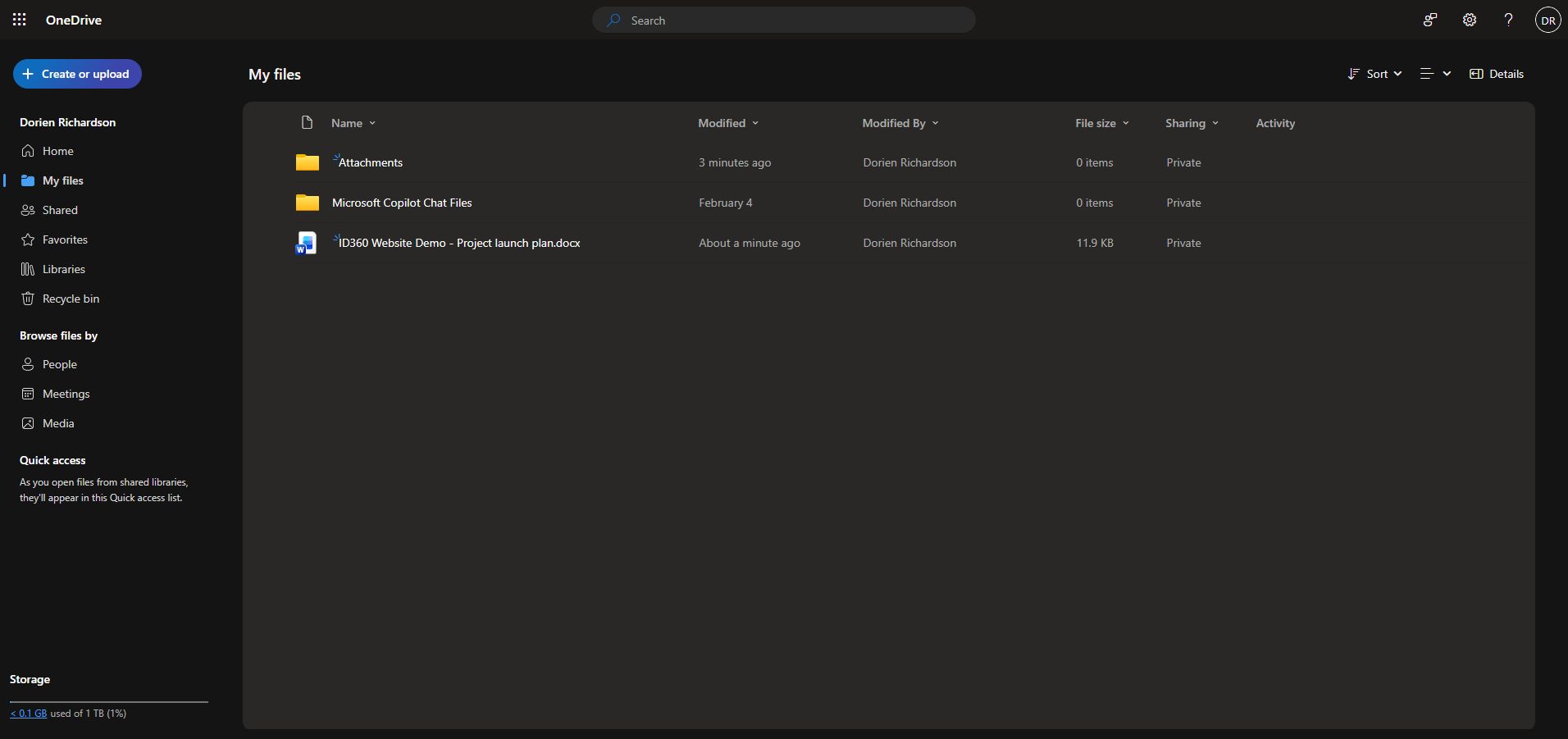
Microsoft OneDrive for work or school
A home for your business files.
Store and organize files online, then choose who can view or edit them. Basic, Standard and Premium include 1 TB of OneDrive storage per user.
 View full screenshot (opens a new tab)
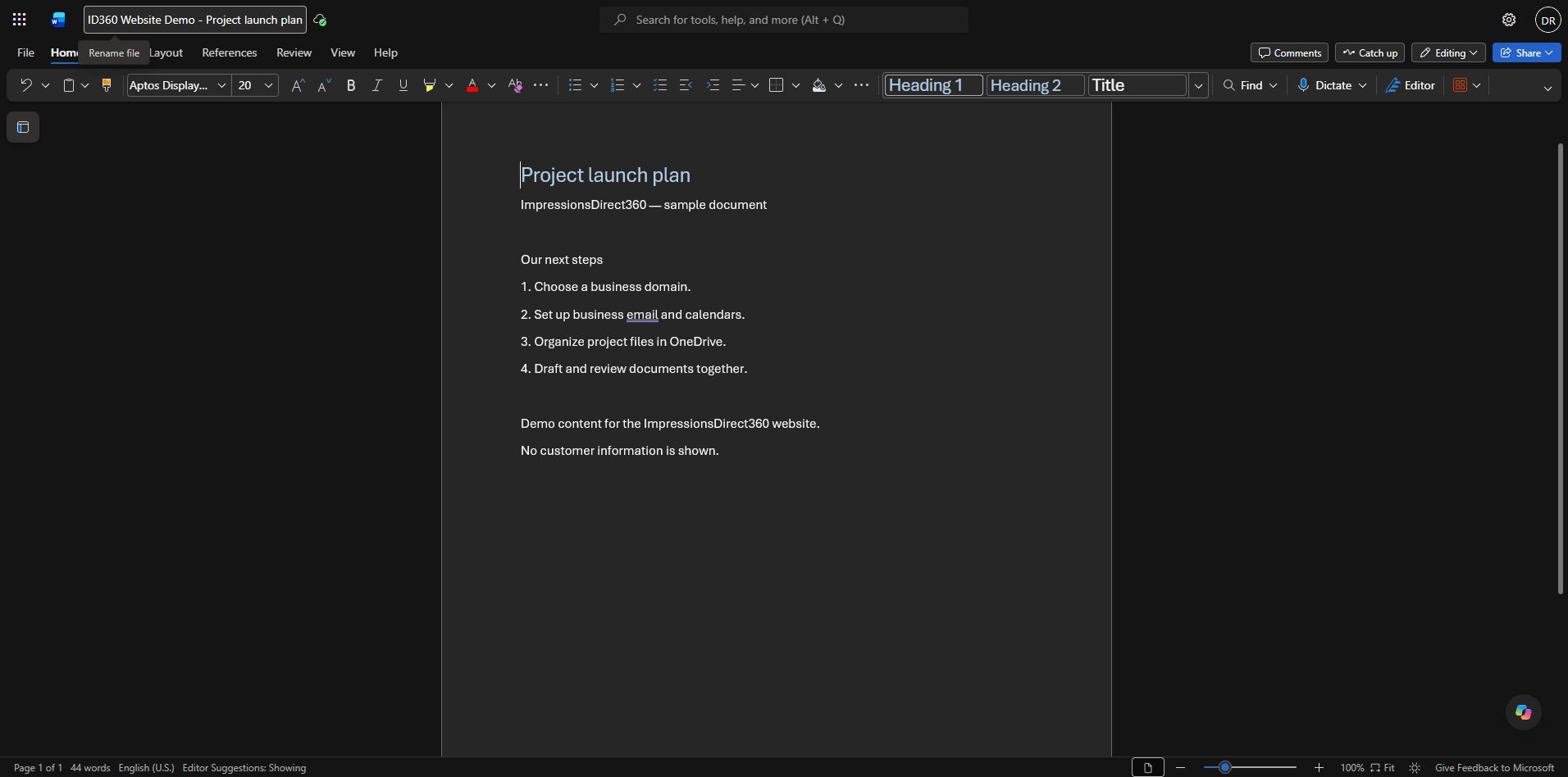
Microsoft Word for the web
Create documents in your browser.
Write, format and review documents online. This example shows a sample project plan in Word for the web.
Genuine web-app screenshots with demonstration content. Appearance and available controls vary by account and license. Desktop Office apps and paid Microsoft 365 Copilot features are not included in Business Basic.
Used with permission from Microsoft.
Microsoft, Microsoft 365, Excel, OneDrive, Outlook, PowerPoint, Teams and Word are trademarks of the Microsoft group of companies.
Microsoft 365 licenses and managed services are separate. Your plan and written scope confirm what is included.
What we run for you
Automations that pay for the plan
Every plan includes working automations built on Microsoft's own cloud — Azure Functions, Logic Apps, and the Microsoft Graph API — connected to the tools your team already uses.
Running now
Inbox → Filed
Invoice filing
Every invoice that hits your inbox is filed, logged, and summarised before you open it.
Running now
Lead → Team
Lead routing
New enquiries reach your team in minutes, with a drafted first reply ready to review and send.
Built on request
New hire → Ready
Employee onboarding & offboarding
A new hire is ready on day one, and loses access just as cleanly when they leave.
Built on Microsoft's own cloud and the tools your team already uses.
See how it fits togetherOutlook
SharePoint
Microsoft Graph
Azure Functions
Logic Apps
Microsoft 365
OneDrive
Microsoft Teams
ID360 assistant
An assistant that knows your business — not the internet's
The ID360 assistant supports drafting and summarising workflows connected to your Microsoft 365 tenant. AI processing uses the provider assigned to each feature, as described below. Paste in a contract for a summary, a thread for a to-do list, or an enquiry for a drafted reply. We are building document retrieval so it can answer directly from your SharePoint and OneDrive files, and it is already the engine behind the drafting and summarising your automations do.
Where your prompts go
Our provider catalog lists Google Gemini for the storefront assistant, logo prompts, and content tools. Website generation and refinement plus video planning and editorial processing use Qwen through Vercel AI Gateway with zero-data-retention-capable routing required. Video visuals use Higgsfield/Seedance; Azure provides narration, rendering, and private media storage. These documented routes do not establish verified live API availability or US-only processing. See the provider-specific disclosures. Your documents and email are never used to train models.
One consent you control
One application, one fixed set of five Microsoft Graph permissions, the same for every customer. They are tenant-wide rather than limited to what you nominate — the terms say exactly how wide. Recorded automation activity is available in your Microsoft 365 dashboard, with partial coverage. You can withdraw consent in your admin center; existing tokens may remain valid until they expire. Contact operators through support to suspend jobs and confirm access has stopped.
What it costs
Find your plan and what it actually costs
Slide to your team size. We recommend the plan that fits and show what ID360 costs you each month, including per-seat overage — Microsoft licences are a separate subscription from your chosen provider — next to an illustrative range for a part-time IT hire.
What it costs you
Size it to your team
8people
140
We recommend the smallest plan that covers your team. Extra users are estimated at $12.00 per person per month and require an approved written quote before purchase.
Recommended plan
Growthfor 8
What you pay us
$349.00/mo
$349.00 base
Microsoft licences through ID360 — monthly billing
$199.92/mo
8 × $24.99 — Microsoft 365 Business Standard with Teams
Current ID360 monthly prices before tax. Licences are purchased separately from management. Setup and migration may cost extra. Compare email plans and annual billing
Management and licences before tax
$548.92/mo
Separate subscriptions. Existing licences from another provider can also be used; that provider sets their price.
A part-time IT hire, illustratively
$1,500.00 – $3,200.00/mo
Illustrative range for a fractional or contract IT resource, shown for comparison only. Not a quote, a benchmark, or a guarantee of savings — your actual costs will differ.
Getting started
A one-week setup target, subject to readiness
This is an estimate, not a guaranteed completion date. Timing depends on the agreed scope, Microsoft licensing, admin access, and DNS readiness. We confirm the schedule during onboarding. A managed subscription does not instantly fulfill or activate Microsoft licences.
- Scope and readiness
The setup call
We review your workflow, agree the plan and written scope, and estimate timing based on licensing, access, and DNS readiness.
- Agreed cutover window
Tenant and mail cutover
We configure your Microsoft 365 tenant and carry out the mail, file, and team-site work included in your agreed plan and written scope.
- After setup and testing
Automations live
Your included automations go in one at a time, each one tested against real mail before we hand it over.
- Ongoing
We run it
We keep your automations running, make seat changes on request, and refine the ID360 assistant around how your team works. Monthly or annual — cancel anytime, and your plan runs to the end of the period you paid for.
See it running on your own inbox
Start with one workflow that takes time from your week. We will confirm its scope and setup schedule after reviewing licensing, admin access, and DNS readiness.
Checkout creates the managed subscription; onboarding collects tenant and workflow details next. Microsoft licence fulfillment and activation are separate and are not instant.